What is a Security Direct Offering
Security Offerings are what you are going to provide the global community of traders in the CES a Global Open Market Exchange System for the benefit of the entire Global Village so that you can have access to private equity others are providing.
1. Obtain a Trade Agreement(s)
As buyers’ accounts are debited by sellers, buyers should establish agreements with their sellers regarding when their accounts may be debited if they feel there might arise a dispute over the amount debited or there might be dissatisfaction with the private equity goods or service provided.
When purchases are small or retail, buyers do not in most instances require an agreement with their sellers. Acceptance of the goods or services by the buyer is usually sufficient authorization for the seller to debit the buyer’s account.
When purchases are larger, it is not good practice for buyers to allow sellers to debit their accounts without authorization. Buyers should establish agreements with their sellers before a sale takes place. An agreement should consider what amount will be debited after delivery and what constitutes an authorization for the seller to debit the buyer’s account. In many instances, it is not possible for sellers to give a firm price, especially when providing private equity services at an hourly rate (e.g. building work, mechanical repairs). In such cases, the traders need to agree on what will happen if the price is too high or what to do if it appears that the price will be beyond expectation. The agreement should also state how the buyer will authorize the buyer to enter the trade (i.e. debit the buyer’s account). It should further consider how the trading parties will resolve a dispute or if the buyer is dissatisfied with the goods or service.
Agreements can be verbal but should be written. The CES site provides various tools to facilitate smart contracts & agreements. The P2P Invoice facility allows the seller to send the buyer an invoice indicating the price for the private equity goods or service(s) provided. If the buyer is in agreement with the price and satisfied with what has been received, an electronic or paper Trading Slip (echeck) or digital fiat token should be sent to the seller. This is the buyer’s acknowledgment of receipt, the token of satisfaction, and signal to the seller that the trade may be entered. The seller should not enter the trade until the Trading Slip or fiat token has been received.
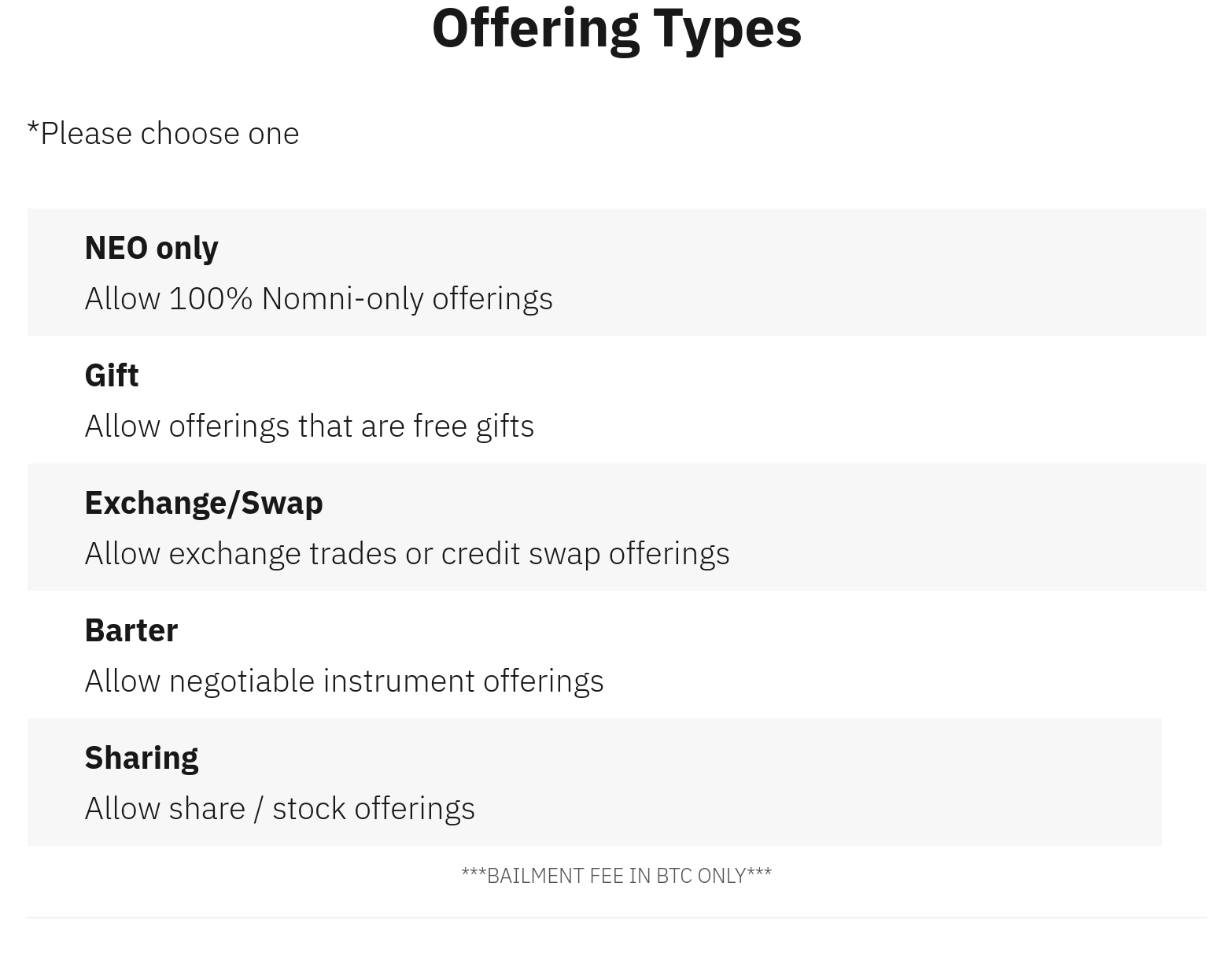
2. Choose Offering Types
3. Pick an Offering Category
1. Certificate Offerings – Individuals, Companies, organizations, and partnerships of the Global Village are free to offer any certificate denominated in the World Currencies.
2. Community Offerings – Individuals, Companies, organizations, and partnerships of the Global Village are free to offer their community offerings denominated in the World Currencies.
3. Loan Offerings – Individuals, Companies, organizations, and partnerships of the Global Village are free to offer their loan offerings denominated in the World Currencies.
4. Mutual Credit Offerings – Companies, organizations, and partnerships of the Global Village are free to offer their mutual credit offerings denominated in the World Currencies.
5. Mutual Saving Offerings – All Municipal Governments throughout the Global Village are free to offer their mutual saving offerings denominated in the World Currencies.
6. Non-Profit Offerings – Companies, organizations, and partnerships of the Global Village are free to offer their financial funds denominated in the World Currencies.
7. Sweat Equity Offerings – Companies, organizations, and partnerships of the Global Village are free to offer their sweat equity denominated in the World Currencies.
8. Tradeline Offerings – Companies, organizations, and partnerships of the Global Village are free to offer their tradeline offerings denominated in the World Currencies.
9. Vendor Credit Offerings – All Governments of the Global Village are free to offer their vendor credit offerings denominated in the World Currencies.
4. Choose a Direct Offering Notation from the list below:
DIRECT OFFERING NOTATIONS
Private Equity – Any Named Service or Product
ETF – Any Named / Term + Asset / Asset
Any Named / Type Bond
Any Named Stock / Share
Any Named / Type Bullion
Any Named / Type Fund
Any Named / Type Treasuries (World Treasury Window)
5. Insert information for the Assets approved by the World Security Exchange Authority
Asset Market: TBD by WSEA – XCHAIN VERFICIATION
Asset Symbol: TBD by WSEA – XCHAIN VERFICIATION
Asset Ticker: TBD by WSEA – XCHAIN VERFICIATION
Asset Verification: TBD by WSEA – XCHAIN VERFICIATION
Next Use the direct offering notation (above) to name your direct offerings:
Offering Structure
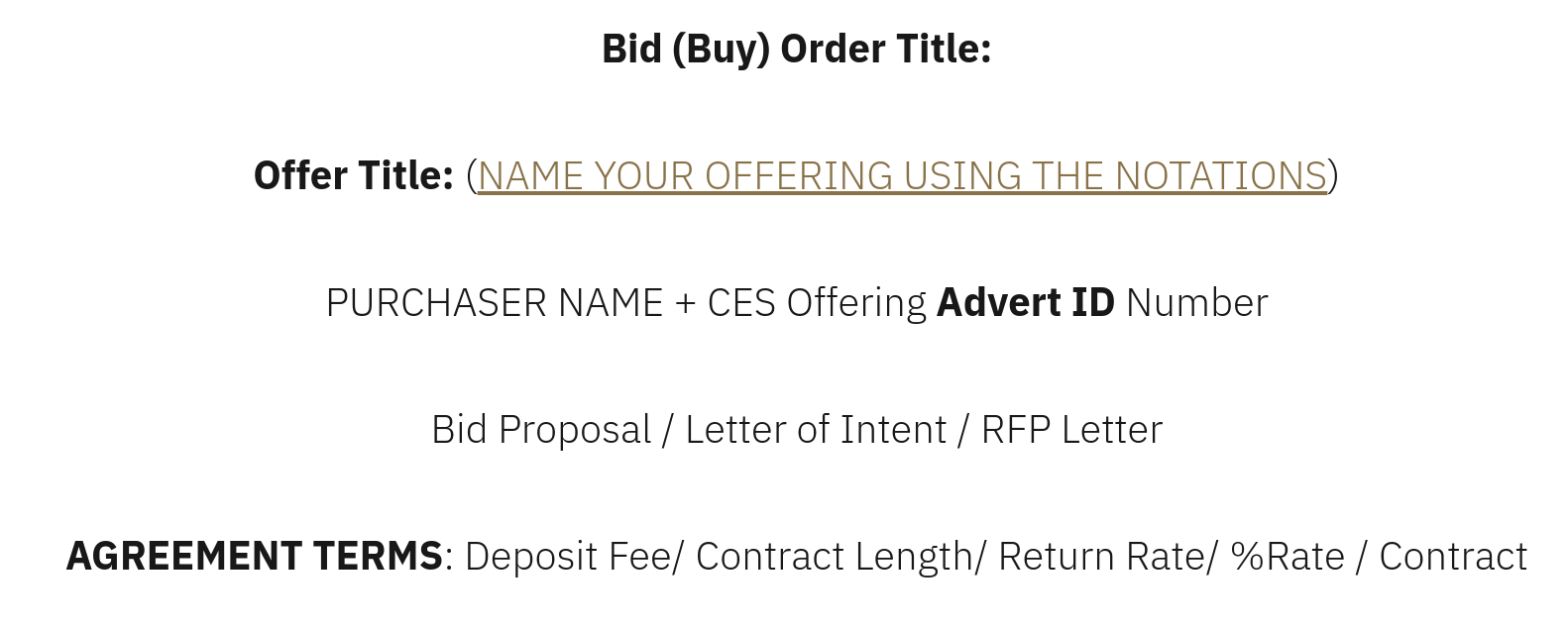
Learn how to create a trade agreement here.
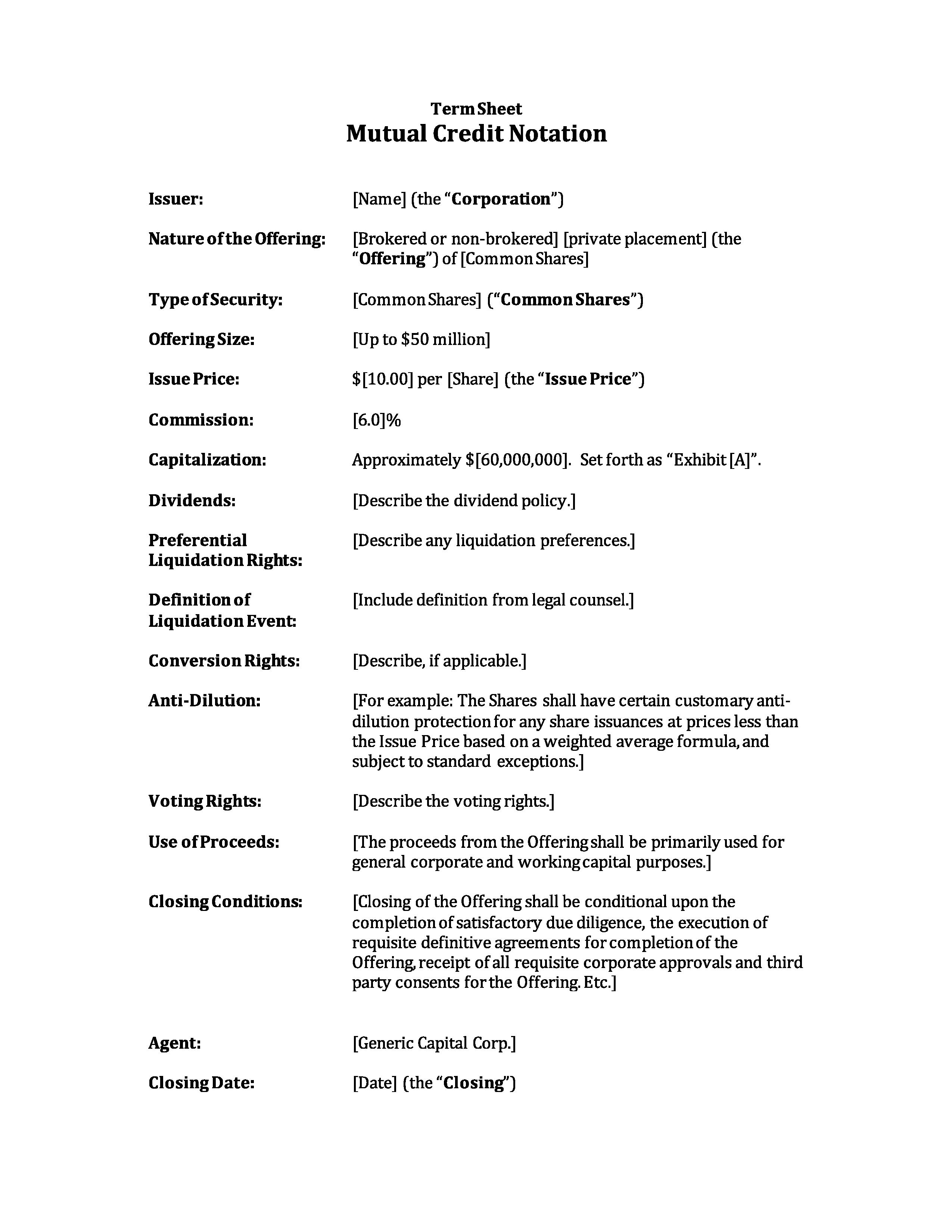
Example of an offering:
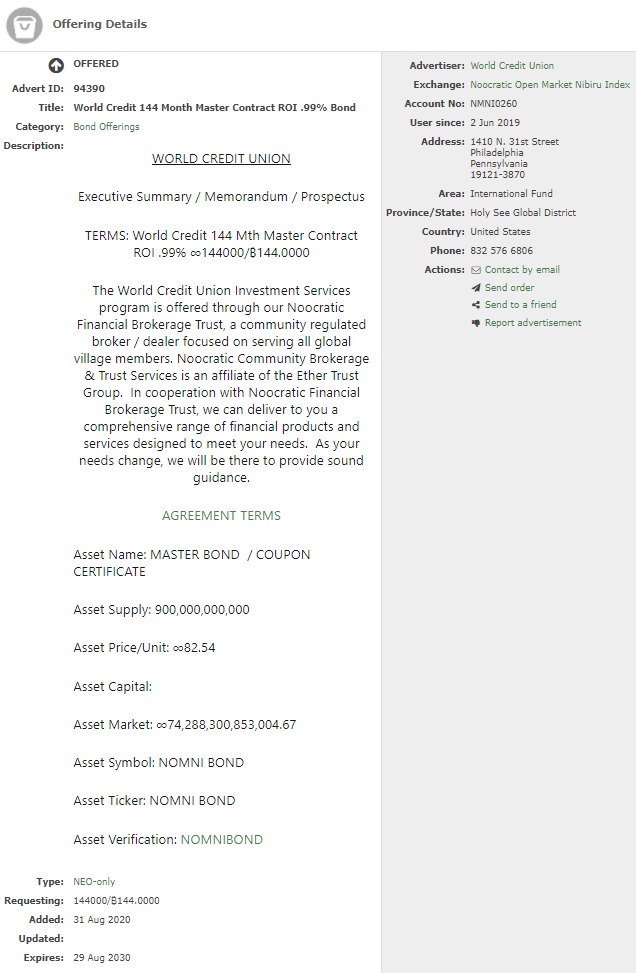
How to Place an Offering
The next few sections below goes into deail about how to trade and information on the buy/sell process. This information will be available to you on this platform as well. Please read all information before moving forward.
CES exchanges compile and distribute a directory of goods and services offered by the traders registered with them, as well as a list of their ‘wants’ or requirements. When a trader requires something advertised in the directory the seller is contacted and the trade takes place. The buyer ‘pays’ the seller with the community currency. This usually involves the handing over of a cheque-like Trading Slip that records how much the buyer is paying for the goods/service delivered.
The Slip is either handed by the seller to a group administrator who will enter the amount into a group account, or the information is recorded directly by the seller on a central computer ‘bank’. Sales are recorded as credits for sellers and purchases as debits for buyers. The central book-keeping system records the relative trading positions of the traders. Those in credit can claim from the community goods and services to the value of their credit and those in debit owe the community goods and services to the value of their debit.
BUYER
Step1: Finds an offering in CES and obtains seller information
Step 3: Fills out Trading Slip and receipt. Buyer keeps the receipt
Step 5: Transaction becomes debited
SELLER
Step 2: Offering takes place and is completed
Step 4: Enters details of the trade in CES
Step 6: Transaction becomes credited
Trading on the Decentralized Exchange
ALL DEFI TOKENS / STABLE COINS / SECURITY TOKENS / ERC 20 TOKENS / & FREEWALLET.ORG ARE SCAMS WE ACCEPT ORIGINAL BITCOIN ASSET CREDITS ONLY WITH BITCOIN’S SELF CUSTODIAL / SMART CONTRACT / DEX E-WALLET.
It is possible to trade on the Counterparty decentralized exchange directly online inside Counterwallet or on your desktop using freewallet.io . You can trade any token against any other token, including XCP. (Trading against BTC is Now Available.) This is bitcoin smart contracting.
Important: But before you begin, please be aware this exchange inside Counterwallet or Feewallet.io is actually an interface to the Bitcoin network. This means that all tokens, buy, and sell orders are all actually individual Bitcoin transactions. These transactions are then order matched by the protocol. This means that:
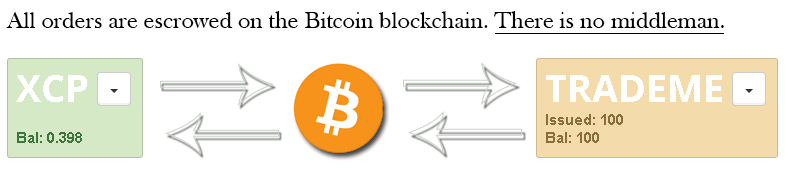
All buy and sell orders are automatically escrowed in the Bitcoin blockchain itself until they are completed. The Counterparty exchange is decentralized and peer-to-peer. This means that there is never a third party or middleman (such as a server administrator, traditional exchange, clearing house, or bank). This kind of trading is called ‘trustless’, because you do not have to trust anyone to handle your funds and complete your trade correctly.
- Placing and cancelling orders requires the Bitcoin network to confirm these transactions, which may take some time.
- Each action requires a basic transaction fee (like any other regular Bitcoin transaction.)
- Some Counterwallet features may be restricted due to regulatory uncertainty in certain countries. This does not mean that they are disabled in the decentralized exchange. These features are simply hidden from the user interface by default to avoid legal issues. Like Bitcoin, Counterparty exists without international borders. So it is absolutely possible to use any of the features in any country by running your own copy of Counterwallet or Counterparty-cli, but please make 100% sure you are operating within the law before attempting this.
Disclaimer: All Counterwallet (and therefore Counterparty) actions are Bitcoin transactions. And because anyone can make a Bitcoin transaction, anyone can create a decentralized token. If this concept seems confusing, consider that Bitcoin functions entirely without a central bank. This is an identical ‘free-for-all’ scenario. It is fundamentally impossible to have an ‘owner’ and or ‘admins’ at such an exchange. Escrowed funds are provably inaccessible until peer-to-peer orders are successfully matched, and all completed orders are irreversible.
Counterparty (the open-source Bitcoin toolkit for financial instruments and markets) itself cannot distinguish whether tokens are legitimate, so please ensure due diligence before trading. Always research the official website of the token you are trading, its page on XChain and (if applicable) its thread on Bitcointalk.
Buy & sell assets (tokens) on XCP DEX
This tutorial takes you through the process of buying and consequently selling a Counterparty-issued asset (or token/coin) from Counterwallet. By “Counterparty-issued” we mean “issued on the Counterparty platform by its users” as the Counterparty Project does not issue assets (XCP is the only asset that was issued by the Project).
First, let’s summarize how things work:
- All Counterparty assets can be traded on the Counterparty Decentralized Exchange and most Counterwallet sellers denominate their asset in XCP. It is possible, but rare, to sell your asset A for another asset B, although that may be interesting in some cases. Some main advantages of decentralized crypto-exchanges are obviously decentralization (no counterparty risk) and a lower cost of filled orders.
- Some popular Counterparty-listed assets are available on traditional (centralized) crypto-exchanges such as Poloniex and MasterXchange where they are usually available denominated in BTC. This article covers only the DEx, but just so that you know the same asset can be traded on the DEx (usually denominated in XCP) and externally (usually denominated in BTC). Some advantages of centralized crypto-exchanges include the speed of trading and usually a better liquidity.
- In order to buy an XCP-denominated asset, the user needs to complete the following steps:
a) Create a wallet if you already don’t have one (this one is easy, but make absolutely sure to write down your pass phrase). In case you’d like to practice first, there is a testnet (a network with “fake” (test) assets) wallet (link) where you can open two wallets and practice without any risk or cost – see What do I need to start using Counterwallet. It is simpler, more reliable, faster and more secure to use Counterwallet in the private browsing mode (in Chrome, CTRL+SHIFT+N, in Firefox, CTRL+SHIFT+P) which disables extensions/add ons (see this for additional security-related ideas).
b) Buy some XCP on a and send XCP and a small amount of BTC (e.g. 0.01) to your wallet address.
c) Understand the fees (see What is the difference between Total and Real Estimated Total when placing an order? and What is the difference between ‘miner’s fee’ and ‘redeemable fee’?), and how to recognize fake (fraudulent) assets)
d) Place a buy order on the DEx. If your offer gets matched within the duration of your order, your it will be settled. Otherwise it’ll fail. In case you change your mind or prices change, you can cancel your order before it expires (see When is an order considered “active” and how can I cancel it?)
Now that we covered the basics, let’s walk through buy and sell scenarios.
Before we move on let’s remind ourselves that the default order validity (which can be changed in Counterwallet Settings and which does not persist between logons) is 1000 blocks of the Bitcoin blockchain, so if you trade in unstable assets you may want to change that to a lower value or even switch to a centralized crypto-exchange where it normally doesn’t cost anything to place (and cancel) an order. See KB articles under 3d (above) for additional details.
EtherTrade
Global Community Brokerage
 EtherTrade
One response to “How to Trade in the DEXCES?”
[…] Learn More […]
LikeLike